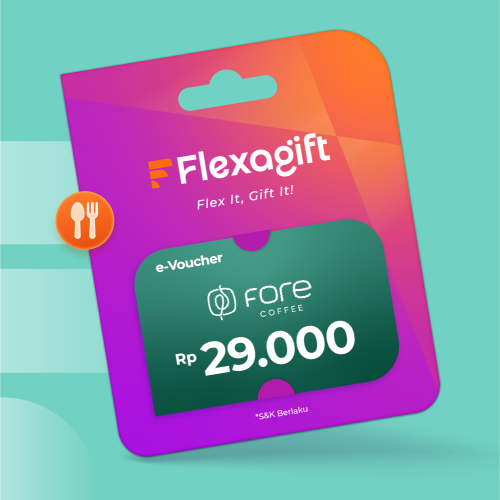
E-Voucher Fore Coffee Rp 29.000 Buy E-Voucher Fore Coffee Rp 29.000 e-vouchers by Fore Coffee at Flexagift. Enjoy instant F&B deals in Indonesia.
Fore Coffee is a modern local coffee brand in Indonesia offering high-quality beverages made from the finest ingredients, known for its unique flavors and convenient ordering via app. Whether you're picking up or ordering delivery, Fore Coffee makes enjoying great coffee easy and accessible.
Use your Fore Coffee digital voucher to enjoy your favorite drinks at a better price—redeemable directly through the Fore app on your smartphone!
Fore Coffee App (Old Version)
1. Download and open the Fore Coffee app.
2. Go to the "Voucher" page, enter your unique voucher code, then click "Redeem". A notification will appear:
"Your voucher is being processed! Please wait a few moments until your voucher is ready to use."
3. The e-voucher unique code requires 1–3 minutes to be processed after you click "Redeem". After this period, refresh or revisit the "Voucher" page to check the voucher status. There is no need to re-enter the voucher code.
4. Once the e-voucher appears and is ready to use, select your preferred order method: "Delivery" or "Pick Up".
a. If you choose "Delivery", enter the correct delivery address.
b. If you choose "Pick Up", make sure you have selected the correct store.
5. Select your favorite menu items.
6. Tap "View Cart".
7. On the checkout page, select the e-voucher you would like to use and choose your preferred payment method.
8. If the e-voucher is active, the discount according to the applicable promotion will be displayed on the payment details page.
9. Review your order one more time. If everything is correct, click "Pay" to confirm your order.
a. For Pick Up orders: Wait until you receive a notification that your order is ready for collection.
b. For Delivery orders: Wait until you receive a notification that the courier has delivered your order and enjoy your drink at home.
10. Enjoy!
Fore Coffee App (New Version)
1. Download and open the Fore Coffee app.
2. Go to the "Voucher" page, enter your unique voucher code, then click "Redeem".
3. If the voucher code is valid, the voucher will appear immediately on the Voucher page. Unlike the old version of the Fore Coffee app, there is no need to wait 1–3 minutes for the voucher to be processed.
4. Once the voucher is available, click "Claim" or "Use".
5. Select your preferred order method: "Delivery" or "Pick Up".
a. If you choose "Delivery", enter the correct delivery address.
b. If you choose "Pick Up", make sure you have selected the correct store.
6. Select your favorite menu items.
7. Tap "View Cart".
8. If the e-voucher is active, the discount according to the applicable promotion will be displayed on the payment details page.
9. Review your order one more time. If everything is correct, click "Pay" to confirm your order.
a. For Pick Up orders: Wait until you receive a notification that your order is ready for collection.
b. For Delivery orders: Wait until you receive a notification that the courier has delivered your order and enjoy your drink at home.
10. Enjoy! 😊